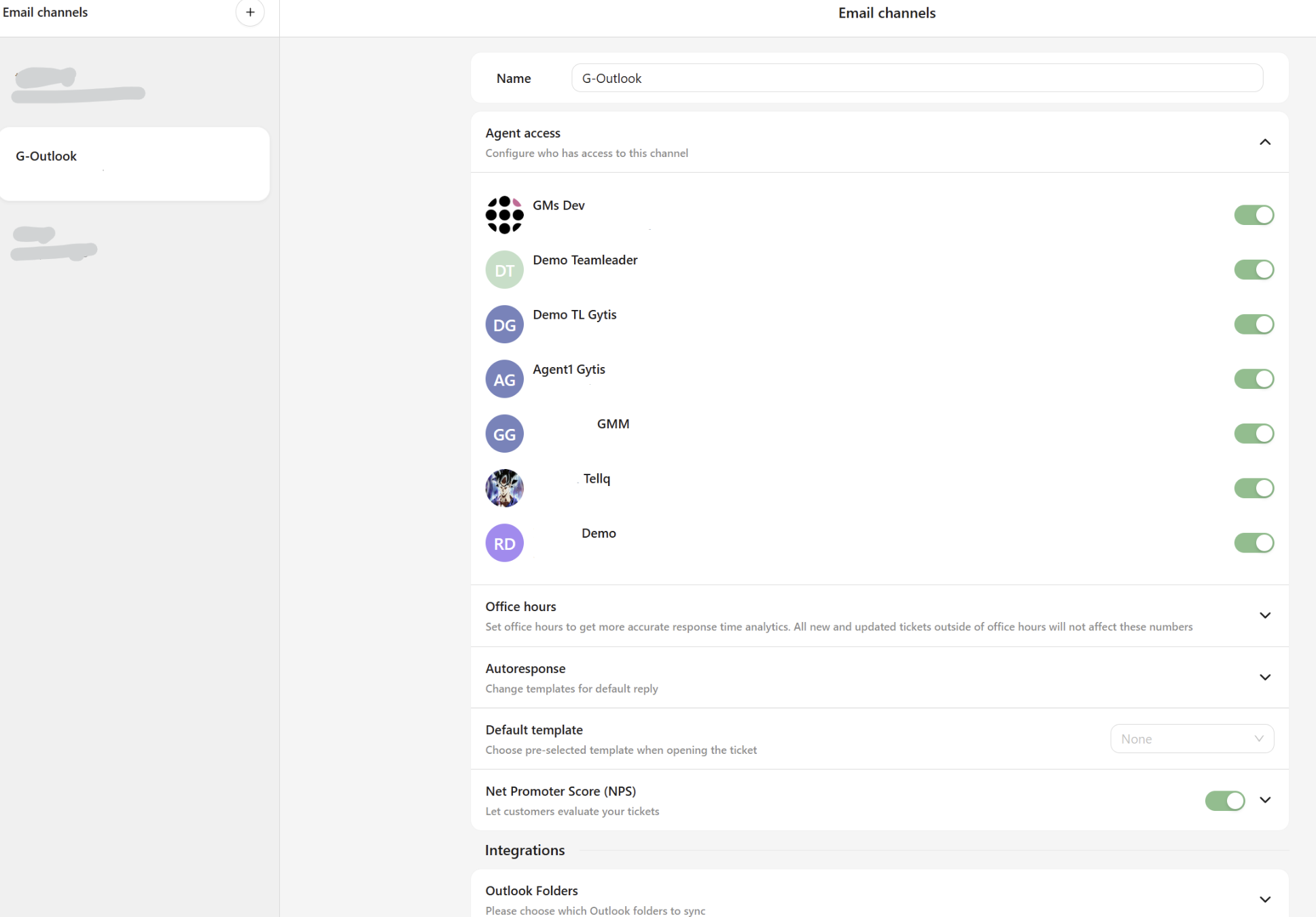
2.3.1. Alternative way Add Outlook email to Tellq
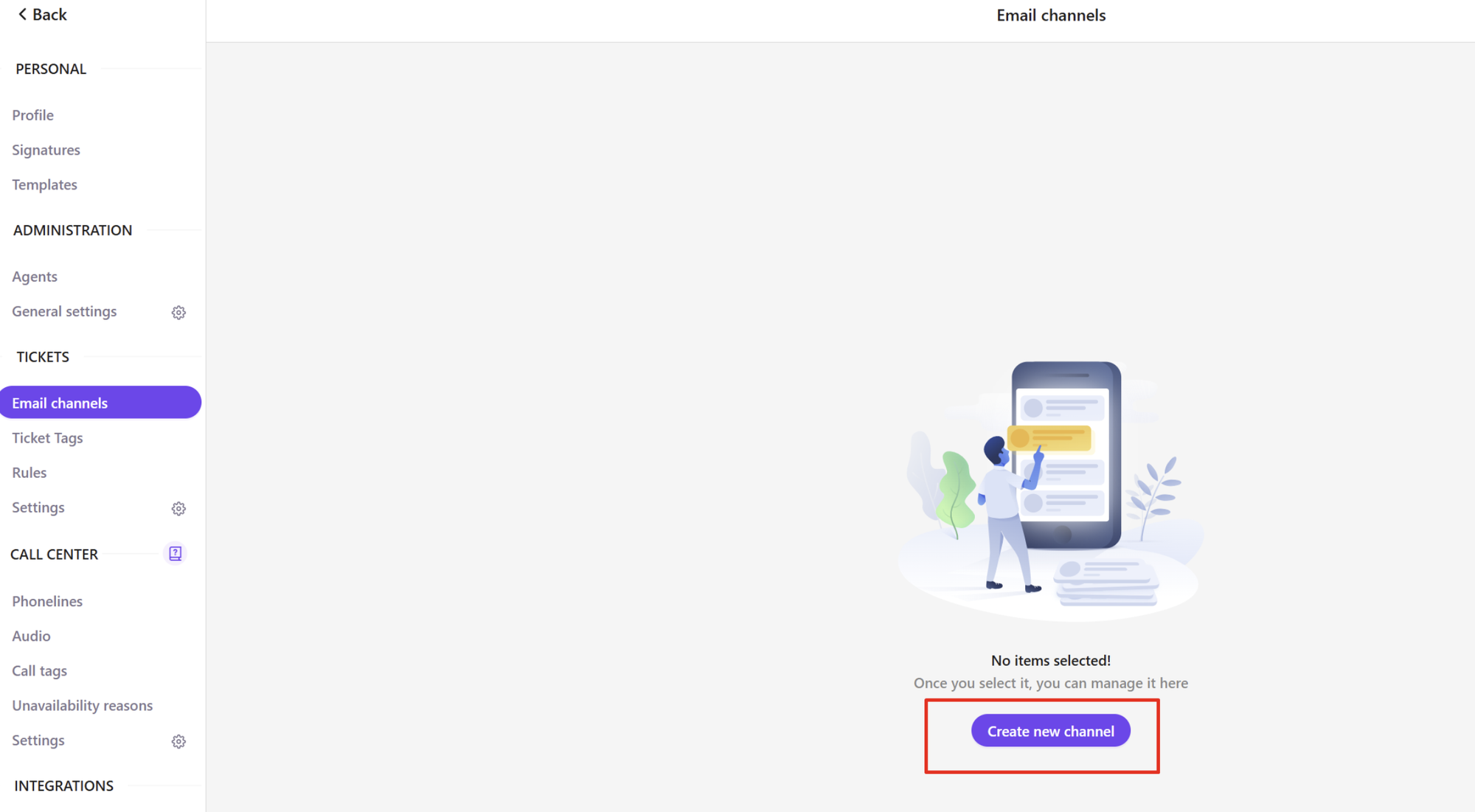
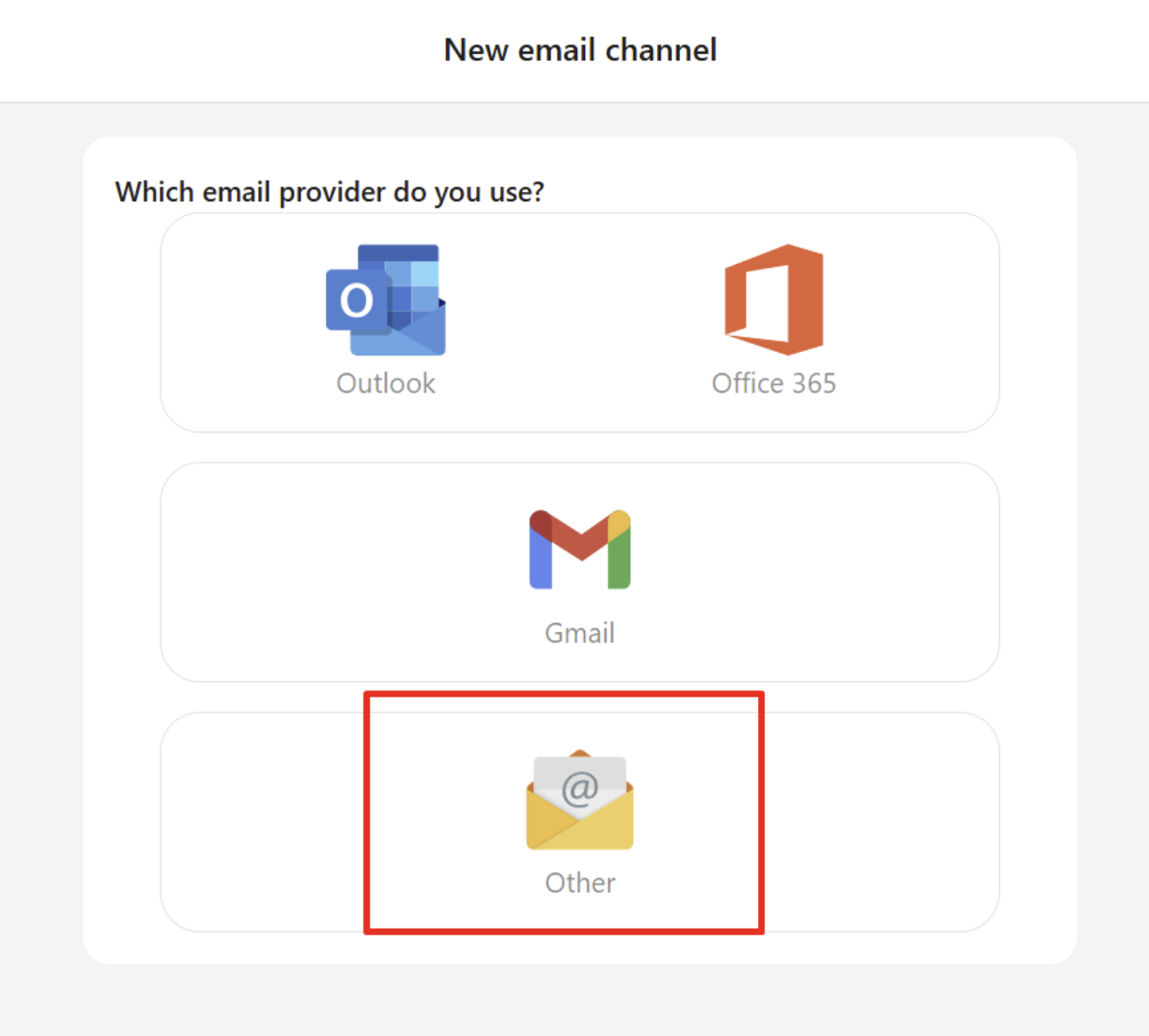
- TL >> Settings >> Email channels click "Create new channel", write your email and select Other (not outlook):
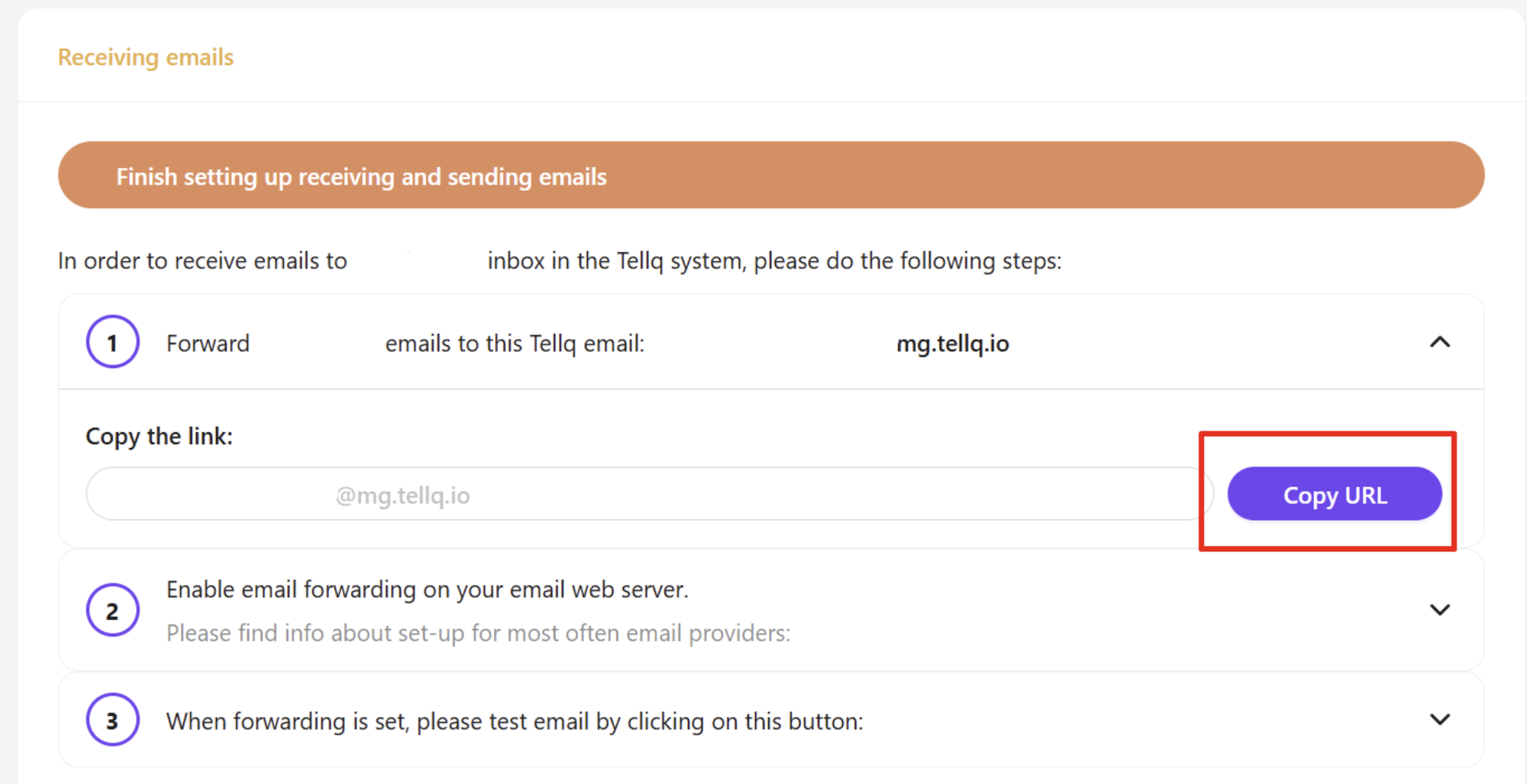
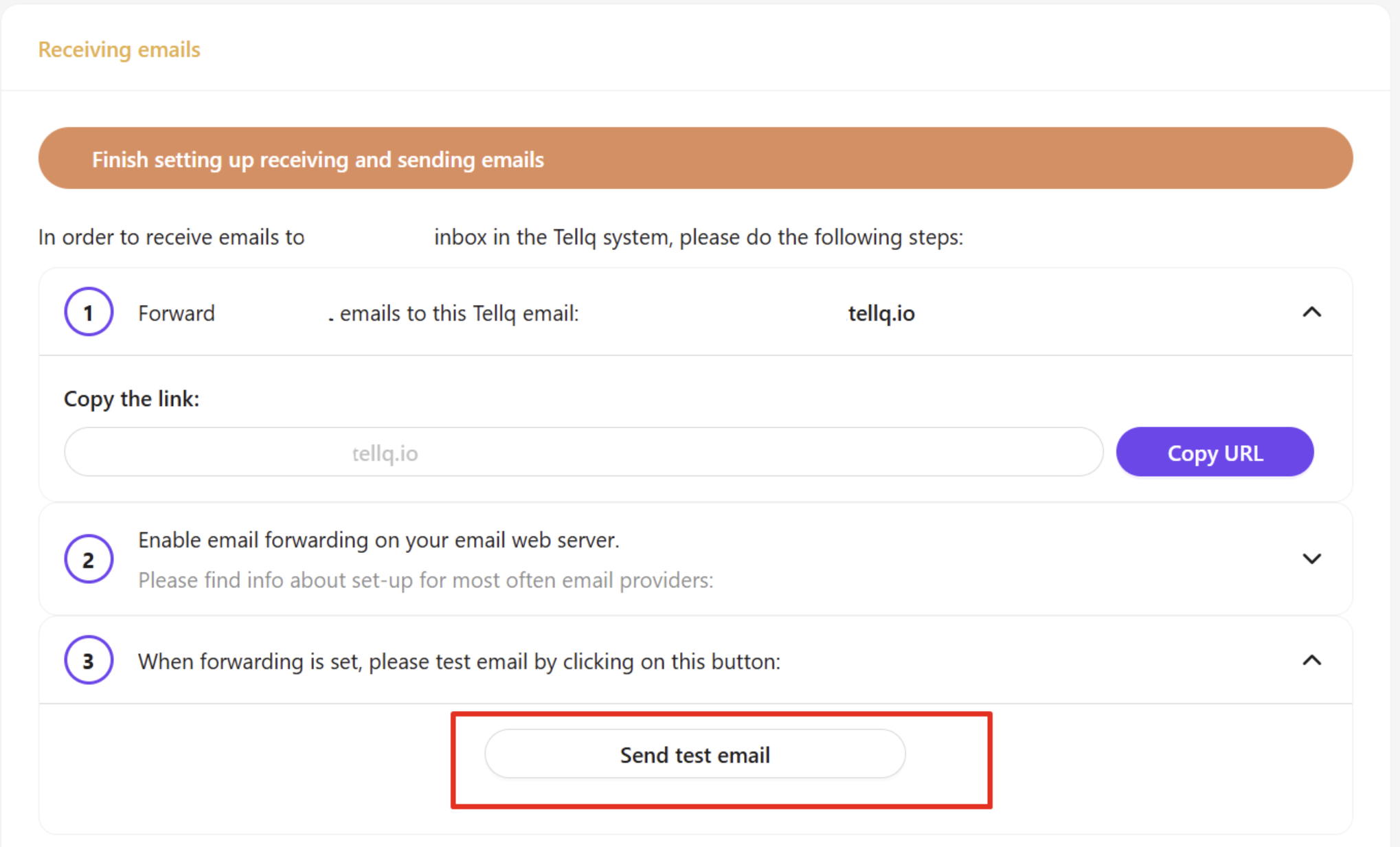
- Expand step 1 and Copy URL:
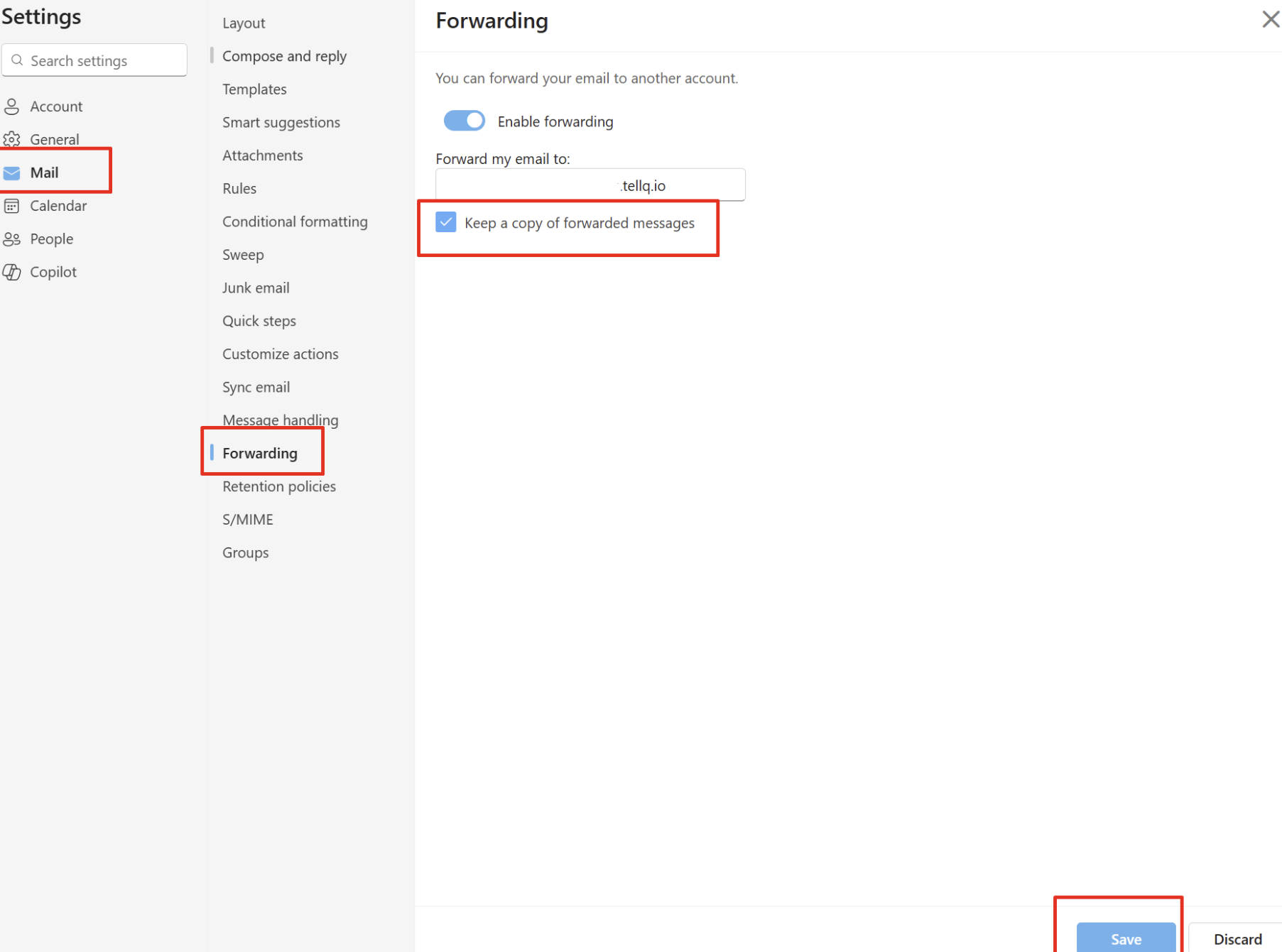
- Go to your Outlook settings and in Forwarding setting paste this URL.
❗Always check that Outlook forward only the copies to Tellq:
- in Tellq expand Step 3 and click "Send test email":
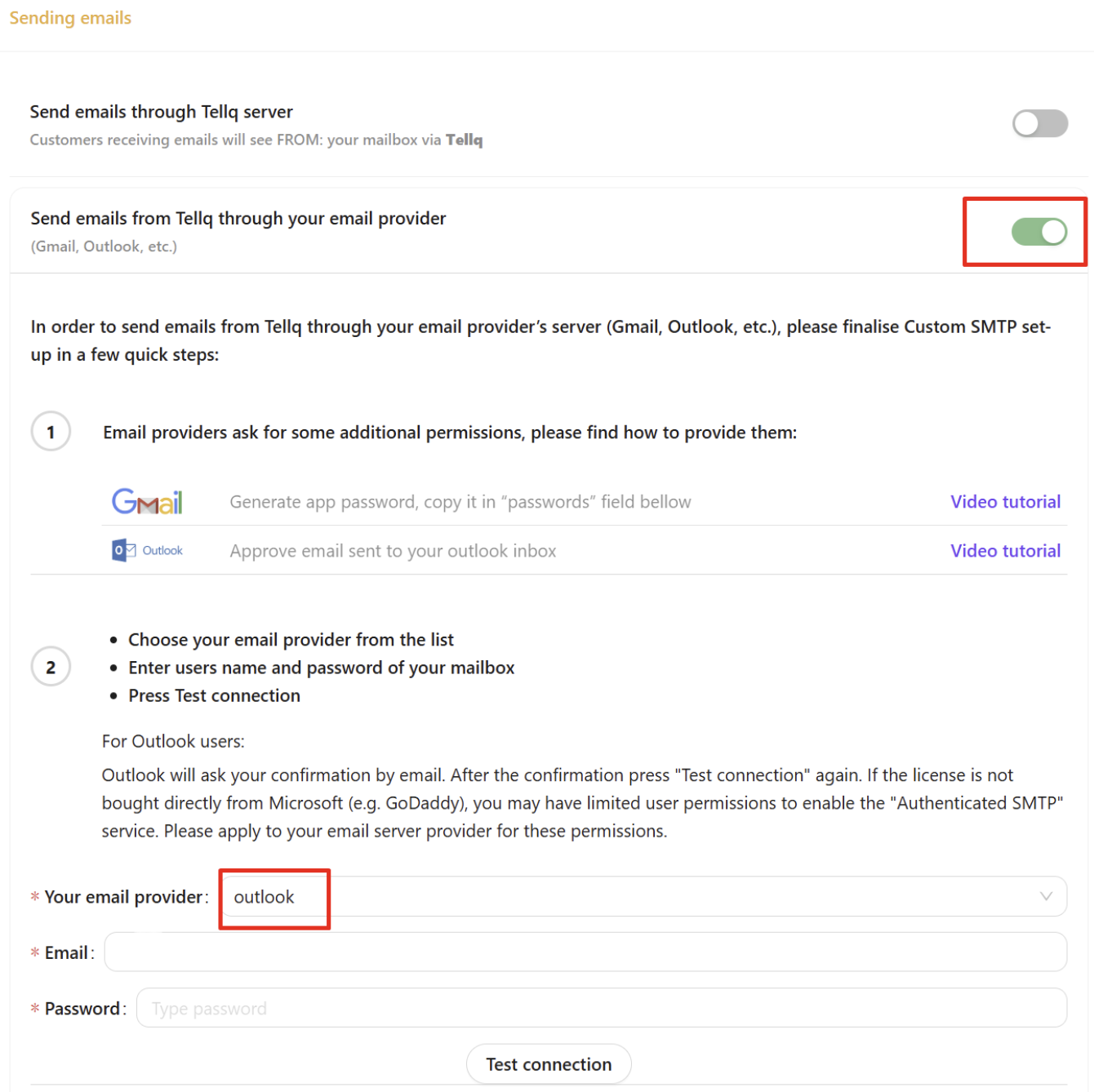
- in "Sending emails" select Send emails through your email provider and select Outlook:
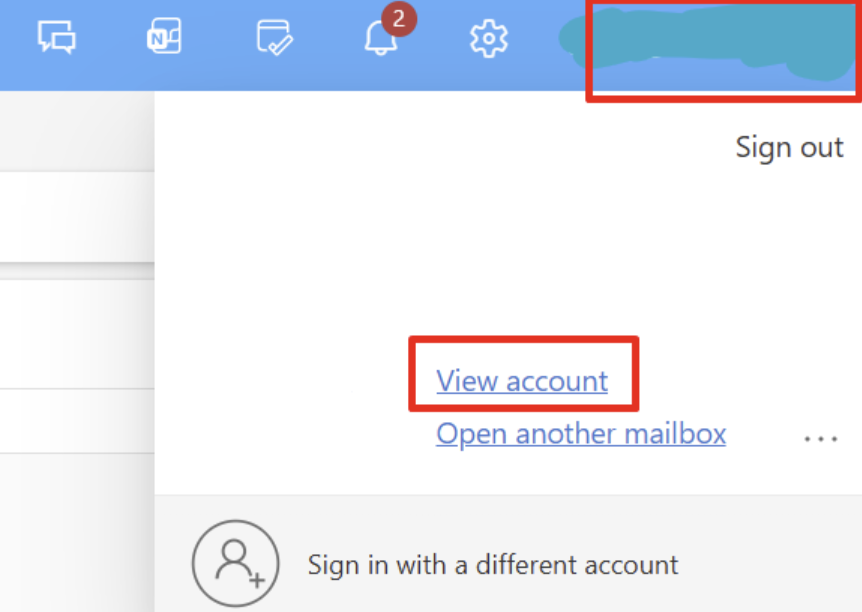
- in Outlook, go to your account and Security info:
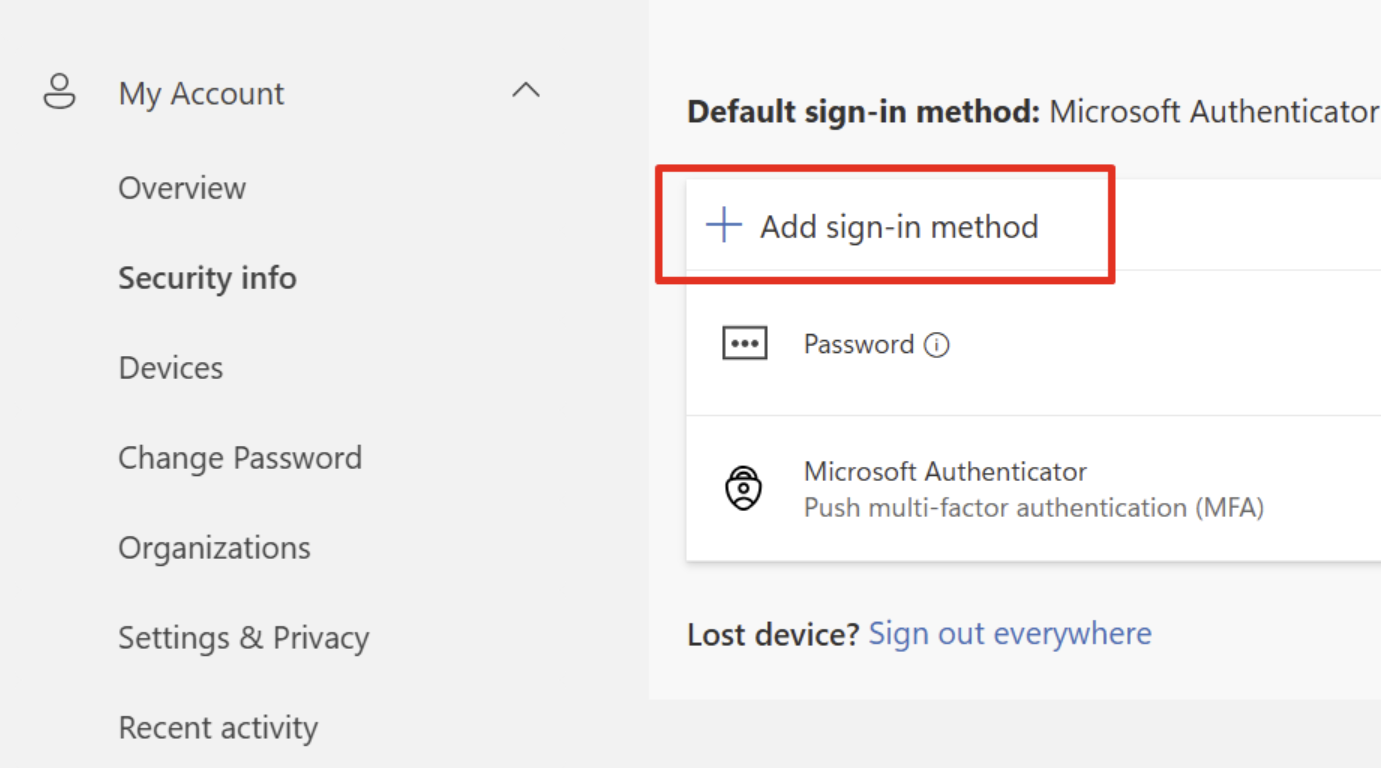
- Click "Add sign in method" and choose "App password":
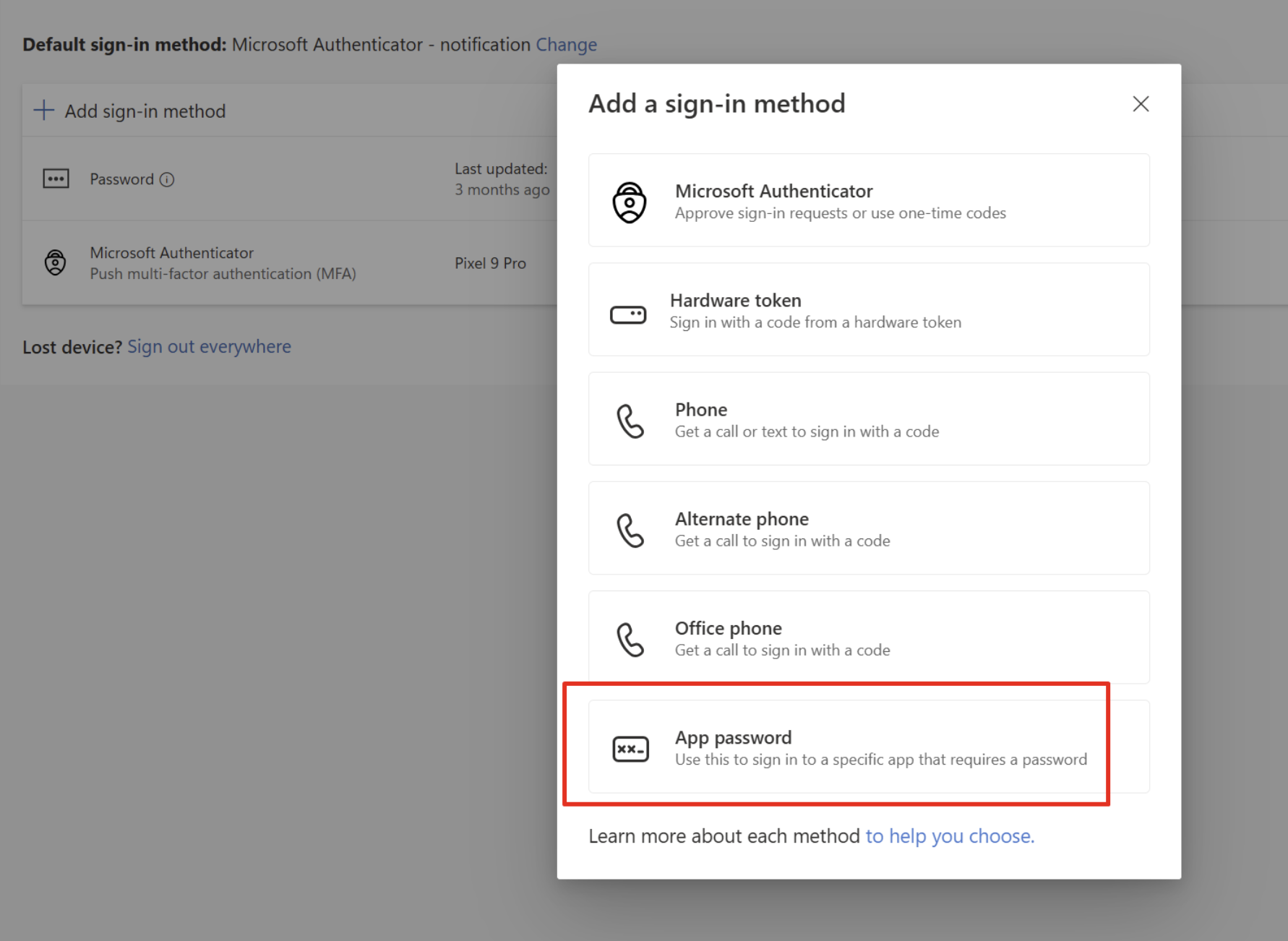
❗If you dont see this option -> you need to enable 2FA. How to do it, please ask your IT admin.
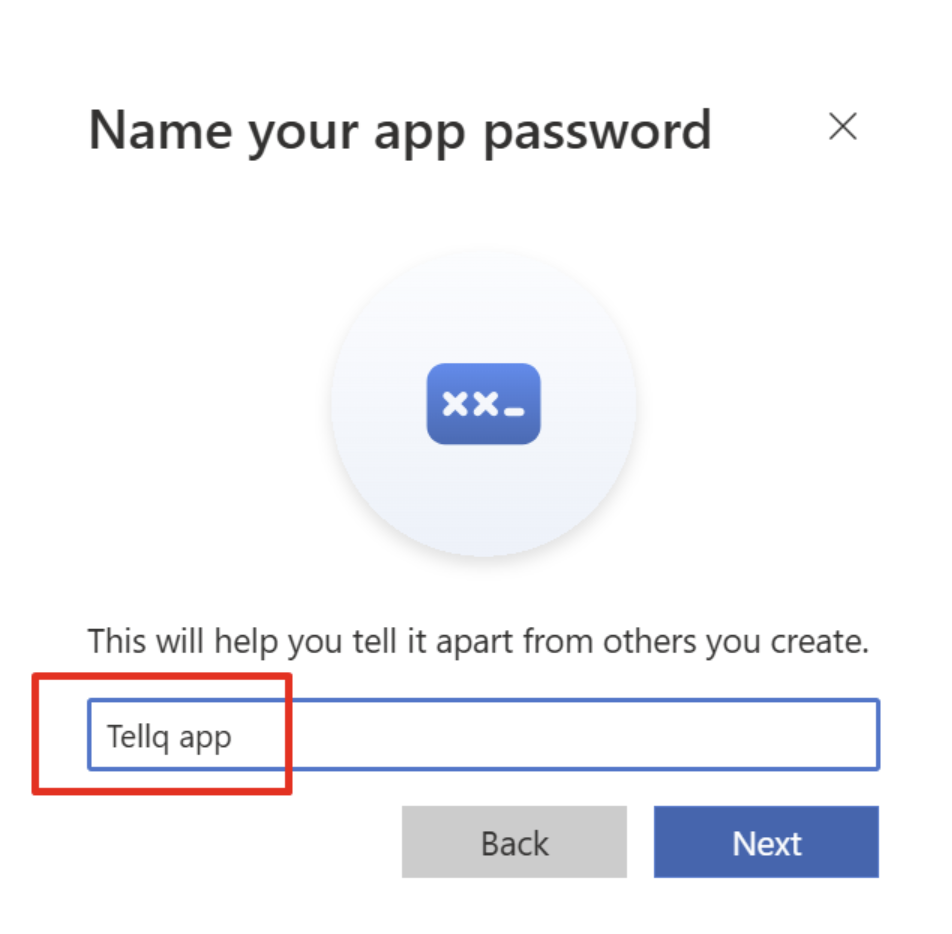
- Name your app, f.i. "Tellq app" and click Next:
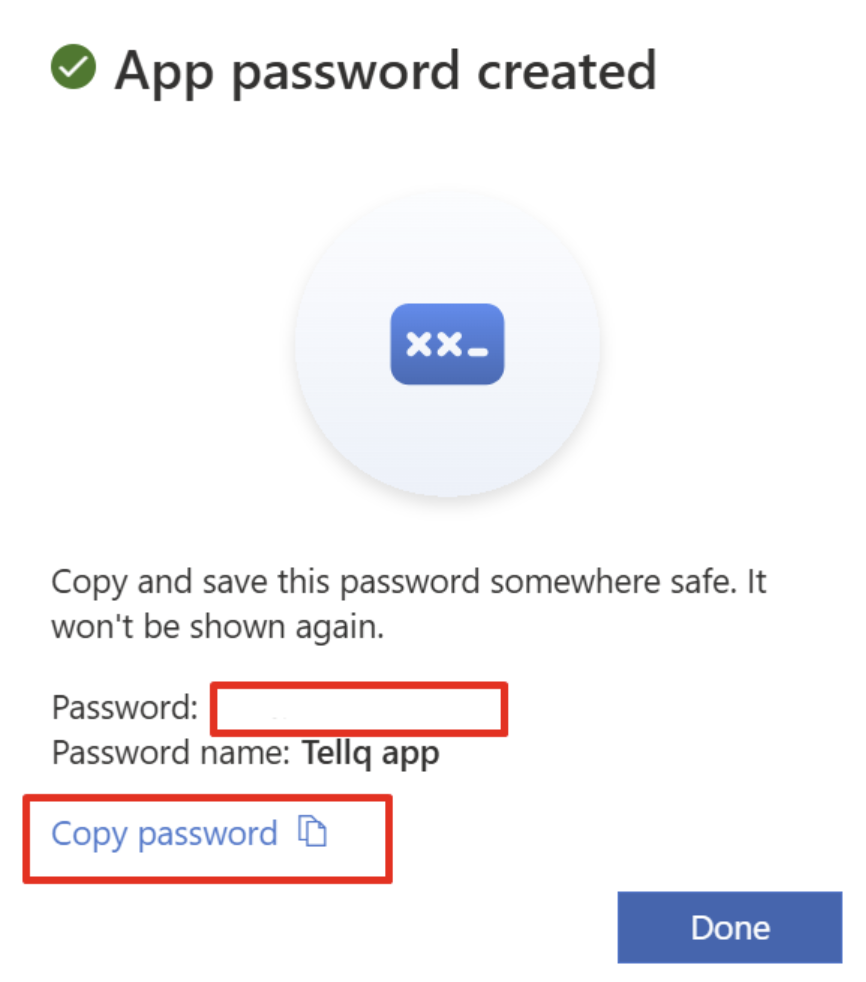
- Copy the password and click Done:
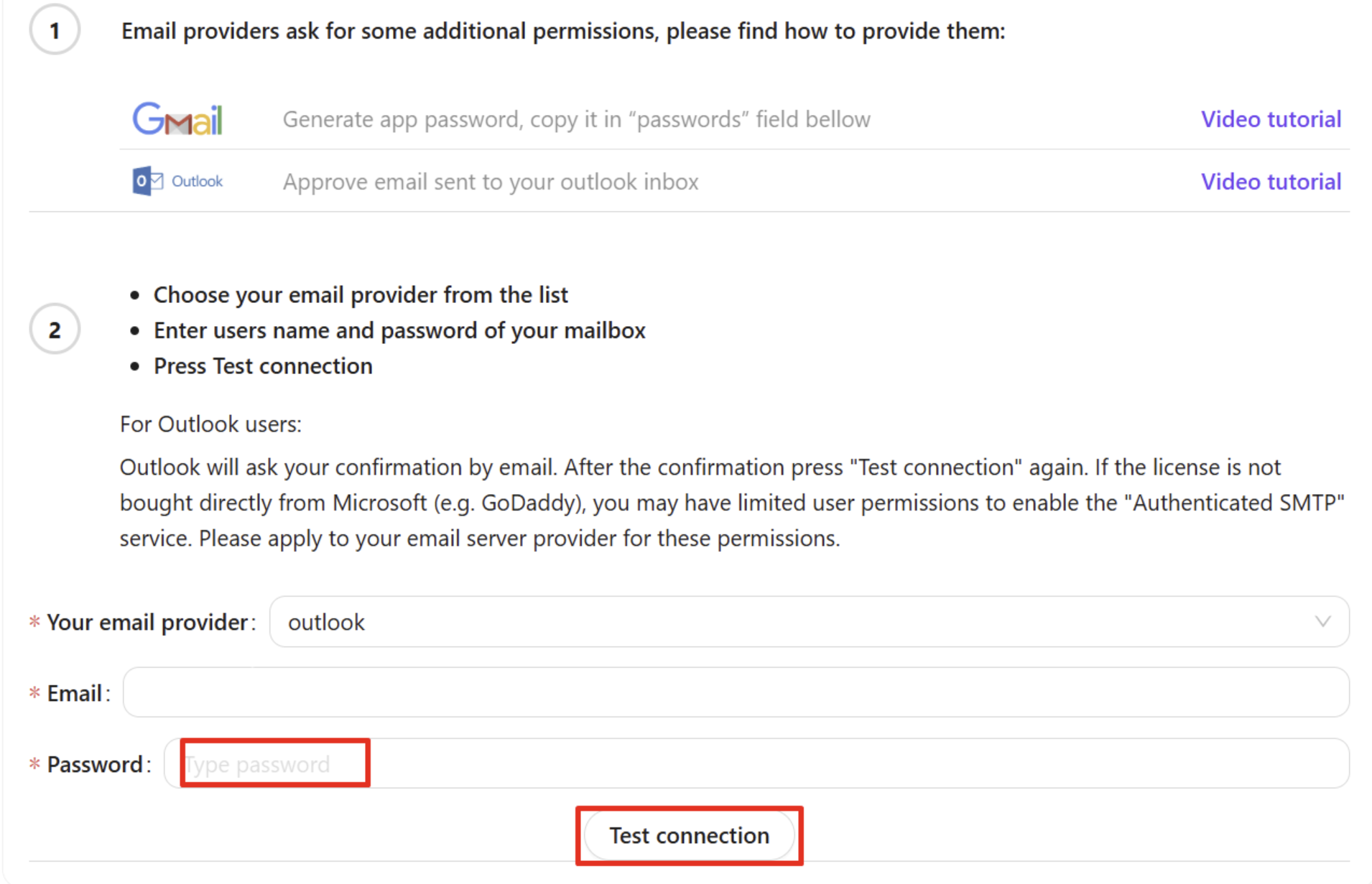
- in Tellq, paste the password and click Test connection:
✅ Thats it, Outlook is connected and now you can work with email on Tellq: